
Review: Microsoft Virtual PC 7.0
- Article 13 of 53
- iCreate, November 2004
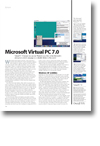
Virtual PC 7.0 means you can run Windows on a Mac. Is this Microsoft's attempt at a switch campaign or a valuable lifeline to Mac users?
When Microsoft bought Connectix, many assumed it was the end for Virtual PC. The PC-emulation software was a must-have for anyone that had to deal with the occasional program with no Mac equivalent. Sure, you couldn’t play Quake 3 Arena in it without having time between screen redraws to make a cup of tea and read the paper, but for the average program that just needed Windows in order to run at a leisurely pace, it was pretty much ideal. In the hands of Microsoft, though, death was assured apparently: Microsoft had only bought Connectix for its Windows software and providing a way for companies not to buy PCs surely wasn’t in Microsoft’s best interest.
Yet Virtual PC still lives and Microsoft is slowly improving upon it. Virtual PC 7.0 is the latest and supposedly greatest version, but it’s strangely lacking for the company that actually writes Windows.
Top of the list of new features: Macs with G5 processors can now run Virtual PC. This may seem simple, but it’s taken nearly a year for Microsoft’s programmers to pull it off and they’ve had to sacrifice some equally useful features to do it. As a result, the list of new features pretty much ends at G5 support, too, although Microsoft does argue it has a few more. These include the automatic installation in Windows of a printer that prints directly through your OS X printer; fast background saving of PC “images” as they’re called; an improved interface and better help facility; and better performance.
For the most part, these new features are pretty worthless. We’re not sure about you, but we’ve yet to come across a printer that works with OS X but not Windows; all this does is save you a little time installing the printer in Windows and there wasn’t a noticeable quality improvement. Since Virtual PC only configures one printer, you have to go into its settings to change which OS X printer it uses or set up a new printer anyway. The interface improvements are negligible and amount to little more than a couple of new icons and an extra bit of configurability.
Performance has improved slightly, although not as much as Microsoft apparently would have liked. Running an image containing Windows 98 on an 867MHz G4 was about as fast as running Windows 98 on a PC in 1998, which was strangely nostalgic; Windows XP is still dog-like, however.
Upgrading our copy of Windows XP (service pack 2) to run with Virtual PC 7.0 practically made our ears bleed it was so painful: next time, we’ll just use the pre-supplied image. Windows 98 was easier to upgrade, with only one crash during the mandatory driver reinstall; a quick reboot of the PC fixed that and let it carry on where it left off.
Non-Microsoft operating systems fared poorly, however. The hard drive of OpenStep (once bundled with Virtual PC but no longer supported) wasn’t even recognised by version seven. Red Hat Linux 9 – also unsupported by the glorious new Microsoft regime – worked fine until we wanted to do anything more than just type commands, at which point there was a graphics meltdown.
We’re not sure how much of this upgrade pain is down to the fact we were using a late beta for testing, but since upgrading has always been difficult with Virtual PC, it doesn’t look like Microsoft will have solved that particular problem by final release.
We can’t really recommend Virtual PC 7.0 as an upgrade. If you have a copy of Virtual PC 6.0, keep it: it might be a little slower but there are precious few reasons for upgrading. If you don’t have a PC emulator but need one, make sure you buy one of the versions that has a Windows image bundled with it. Virtual PC 7.0 could have been a lot better for the time taken and the resources behind it. Keep your fingers crossed for version 8.0.