
Review: Roxio Popcorn
- Article 22 of 53
- iCreate, February 2005
A program that will let you back up your movies onto regular blank DVDs? Brilliant! Except it's not that simple after all?
DVDs can be expensive. They can get scratched easily or broken. They can get lost. Over time, they slowly degrade until they’re unplayable. And just as soon as you want a replacement, the shops stop selling the one you want. Wouldn’t it be good if you could make backups of your favourite DVDs, so if anything happened to them you’d still be able to watch your copies?
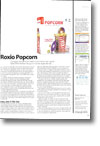
In a perfect world, this would be the point at which Roxio Popcorn came in. Popcorn is an almost ridiculously simple application for backing up DVDs. Just put the DVD into your Mac and Popcorn, click the red button and off you go. That’s really all there is to it. Even if the DVD is a dual-layer 9GB disk, Popcorn can fit your movie onto a standard single-layer 4.7GB disk using a clever compression system: it has both manual and automatic settings for this, so you don’t have to think about the process any more than clicking that red button.
It works with more than just DVDs. The software also works with iDVD projects and DVDs that have been copied to your hard drive. So if you have a third-party DVD writer and haven’t hacked iDVD to work with it, Popcorn will at last let you burn all your projects onto a regular DVD – and compress them if they are too big to fit on the DVD.
If that was all there was to it, we’d have no hesitation about recommending Popcorn to anyone. But there’s this little thing called encoding. Virtually all commercial DVDs are encrypted only to work in specific regions of the world: Europe is region 2, the US is region 1, Australia is in region 4 and so on, and you can’t play a region 1 DVD on a standard region 2 player (or vice versa) as a result. Now Roxio is an American firm and there’s a law in America called the Digital Millennium Copyright Act which states, among other things, that not only is it illegal to try to circumvent the encoding on a DVD, it is illegal to tell someone else how to do it, too. So since the employees and proprietors of Roxio don’t fancy a spell in the Big House, Popcorn does not include the ability to remove this encryption from commercial DVDs. Not that we in the UK should get on our high horse about this, because it’s equally illegal for us to break the encryption and make copies of DVDs, too.
For readers who live in a sensible European country with sensible laws, such as Norway, and want to back up their DVDs, Popcorn is a good investment (once you’ve got hold of a free decryption program called DVD Backup that you can download off the Web), since you’ll then be able to make a copy of any DVD you own, as previously advertised.
But for people in the UK and the US, Popcorn is next to useless, unfortunately, since the biggest potential use of Popcorn is to back up commercial DVDs.
There are a few niche areas left for Popcorn. You can use it to make copies of your own movies and DVDs, so if you have home movies you can’t quite squeeze onto a standard DVD, you should definitely take a look at Popcorn.
Unlike UK readers, US readers can also use Popcorn to take advantage of their Fair Use rights to back up their Region 0 DVDs. These have no encoding, but since they are typically things like nature documentaries and pro-celebrity basket weaving competitions, they’re usually not the jewels of anyone’s collections.
Ultimately, despite Popcorn’s ease-of-use, excellent features and the £35 price tag, the lack of legal uses for the software means it’s as wise an investment as a chocolate tea pot for most people and we can’t recommend it, unfortunately.