
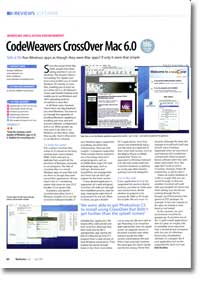
Review: CodeWeavers CrossOver Mac 6.0
- Article 37 of 89
- MacFormat, March 2007
Run Windows apps as though they were Mac apps? If only it were so simple
Since the arrival of the MacIntels, seemingly one thought has been on everyone’s mind: can it run Windows? The answer’s been a resounding “Yes”. Apple’s own Boot Camp allowing you to install Windows XP natively on your Mac, letting you boot up into either OS X or XP. VMWare’s Fusion and Parallels’ Desktop both let you run Windows and other operating systems virtualised on your Mac. In all these cases, however, there’s been one big drawback. You need Windows.
Even then, you have to go through the rigmarole of installing Windows, updating it, installing anti-virus and anti-spyware software, installing drivers, configuring it and so on. When we people say they want to be able to run Windows on their Macs, they really mean they want to be able to run Windows software on their Macs.
This should be where CrossOver Mac comes in. This is based on the long-running open source project WINE (confusingly, an acronym for “WINE is not an emulator”), which attempts to replicate from scratch all the functions of Windows necessary to run programs. The idea of CrossOver Mac is to install Windows applications on your Mac and then run as though they were normal Mac applications. All you need is the X11 windowing system that came on your OS X installer CD or system disk.
In practice, you launch Crossover then either insert a Windows installer CD or run the CrossOver Software Installer. If your Windows app is supported, everything should be fine. Unfortunately, there are only roughly 13 programs supported. That’s right. Just 13. These include “Internet Explorer 6” and a few things that aren’t actual programs, such as DCOM98. Most of the major DTP and web design apps, such as InDesign, Illustrator, Dreamweaver and QuarkXPress are unsupported, and those that are, don’t get support for the latest version.
If your desired application is supported, all is well and good. CrossOver will walk you through the installation process, step-by-step, creating the right kind of environment for the job, even downloading the installer from the Microsoft web site in IE6’s case. When it’s done, you get a double-clickable Mac application. We tested Office 2000 and IE6 and both work fine, although they didn’t look exactly look like a standard Mac app, having the feel of a Mac-ed up Unix X11 program that is a pale version of their Windows incarnations. They worked full speed, though – faster, in fact, than most native OS X applications, since they weren’t encumbered by Aqua – and did what you expected of them. Even little niceties such as the Mighty Mouse scroll-ball worked fine. There’s no equivalent to Windows’ beloved Ctrl-Alt-Del key combo built in to Crossover, however, so quitting an unruly app often requires quitting Crossover altogether.
If your app isn’t on the supported list, you’re in thorny territory, though. Now you have to create your own environment, decide whether to pretend to be running 98, 2000 or XP, locate the installer file and more. It’s not an easy job. We were able to get Photoshop CS to install but not get further than the splash screen; an upgrade version of Illustrator 9 would crash when trying to locate the older version; Dreamweaver MX and Quark 4 got precisely nowhere; ditto Doom, Quake and the less taxing “Theme Park Hospital”, although the latter did manage to install both itself and DirectX, even if nothing happened when we launched it; Fireworks MX installed but crashed with a fatal exception. Newer software didn’t fare well, either, particularly since .net apps don’t work so well in CrossOver. However, Project 98 worked just fine, as did Acrobat 5.
There is an online database of 2,500 or so apps you can search for to discover whether CrossOver will work with them and what settings you should use. But searching through, you’ll find precious few games or DTP packages, for example. In fact, the majority of the apps we looked at were listed as “not tested”.
At the moment, we can’t recommend CrossOver for general use. If you have one of the 13 “gold medal” applications, then it’s great. At roughly £40, it’s probably more expensive than it should be, given the limited range of supported applications, but compared with the cost of a Windows licence plus virtualisation software, it’s a bargain. But if your application isn’t on the supported list, don’t try it yet, unless you have a strong experimental streak.