
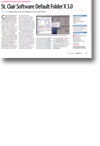
Review: Default Folder X 3.0
- Article 25 of 89
- MacFormat, August 2006
Makes Open and Save dialogs so much more useful.
Compared to Windows’ or even OS 9’s “Open” and “Save” dialogs, OS X’s have a whole host of shortcomings. Even though you can see your files and folders, there’s no way to rename them, trash them, copy their names, quickly navigate back to previously used folders: the list goes on. The solution, almost mandatory for anyone who uses their Mac for anything more than its Front Row capabilities, is Default Folder X.
Default Folder X adds a group of icons to every “Open” and “Save” window that give you access to a wonderful array of enhancements. As well as the existing OS X deficiencies that Windows and OS 9 manage to overcome, Default Folder X also lets you set default folders for each application; select an open Finder window for use by the current application just by mousing over and clicking it; get info about any file; show invisible files; navigate folders using a hierarchical pull-down menu. There are literally dozens of little features and improvements that Default Folder X brings to dialogues that can cut down on hours of searching and repetitive work.
The problem its developers have is that it’s just so good already, they have little to add anymore. Sure, if you’ve just bought a Mactel and Default Folder X doesn’t work anymore, then the fact that version 3 is a universal binary is reason enough to invest in the £10 upgrade. But if you’re still using a PowerPC then the extra features in 3 aren’t very compelling: the ability to add Spotlight comments to files while you’re saving and opening them will probably be useful but only once you’ve worked out a decent commenting scheme; additional AppleScript commands are useless to all but the most high-end user; and there are few people who have been clamouring for the ability to create zip archives of files from open and save dialogs. So buy it if you don’t have it or if you have a Mactel, but hold off the upgrade for now if you already own it on PowerPC.