
Review: FileMaker Pro 8.5
- Article 23 of 89
- MacFormat, August 2006
It's better and faster, but has FileMaker upgraded its flagship app too soon?
It was only the end of last year that FileMaker released its (then) latest and greatest database system, FileMaker Pro 8.0. Combining power with ease-of-use FileMaker Pro is the database system of choice for anyone who wants to put together a good-looking yet sophisticated records system without learning SQL.
Traditionally, FileMaker has taken its time producing new versions of FileMaker Pro. So it comes as a surprise for 8.5, a paid-for upgrade, to come out so soon after the last release. What’s even more surprising is there are things in the latest version worth buying it for.
The most obvious difference is that 8.5 in a universal binary. Performance is always key with databases so this is what plenty of Mactel-owning FileMaker users have been waiting for for what has seemed like an eternity. Indeed, on a Mactel, it zooms along at the kind of speed you always hoped it would.
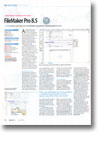
If universal binary status had been the only new feature, it would have been easy to pass on 8.5. But there is one big draw that will lure in many a user: the web viewer. This uses the Safari WebKit to embed a web page in your layout. You draw out the area you want for the viewer using a new tool, then provide FileMaker with details of the site you want to access, either using one of its presets, such as Google Maps, or using a custom URL you enter. You can provide fixed or variable parameters for the map viewer and use scripts to alter its contents.
This is an excellent feature that’s slightly hobbled by two things. First, usability. Since you can embed a web page in the viewer, it’s possible for you to click on links to go to new pages; but there’s no obvious way to go backward and forward in your viewing history without recourse to contextual menus. Also, there are no scrollbars or ways to pan around the page, so you have to make your map viewer object as large as the web page you plan to use or else you won’t be able to see what’s on the page.
Second, FileMaker crashed every time we used the map viewer feature in our Mac’s test user account, no matter which web page we chose or what we did to strip out possible system conflicts. It was only by creating a vanilla user account that we were able to use the feature. Whatever caused it, that’s a bad bug not shared with anything else we’ve tested that takes advantage of WebKit.
As well as changing map viewer contents, there are additional script steps and functions that hint at a new way of thinking emerging in FileMaker. A modified and renamed Info palette allows you to name objects on your layout so that they can be referenced or controlled using scripts. There’s also a new function for getting various attributes of named objects.
What’s most noticeable about this is the concession to object-oriented programming. Version 8.5 provides a single command, GetLayoutObjectAttribute, for extracting information from any object. Whether this is a one-off or the precursor of a full-on FileMaker Pro object-orientation revamp remains to be seen, but it’ll require a change of thinking and development style for users.
GetLayoutObjectAttribute provides at least one particularly useful feature: the ability to get the HTML code for a map viewer display. You can use standard FileMaker commands, such as PatternCount, to parse the code for the section you want and extract data – no need to learn web services to get the latest Amazon book prices any more.
The last big new feature of FileMaker Pro 8.5 is its online learning centre. This is really just the unhelpful standard system with a few video tutorials added: you’re still better off with a decent “Dummies’ Guide”.
FileMaker Pro 8.5 is a worthwhile upgrade. The new features do feel a little rushed, but when they work, they’re useful. While there are still long-standing cosmetic bugs (and some new ones) that need to be fixed, if you require a database that’s powerful and easy to use, this is the one to get.