
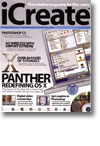
Panther: Redefining OS X
- Article 1 of 53
- iCreate, October 2003
Apple is shortly going to release another landmark version of the Mac OS – Mac OS X 10.3, codenamed Panther. Join us for a guided tour of the future of the Mac platform as we preview the myriad of new features in this major update
Page 1 | Page 2 | Page 3 | All 3 Pages
Jobs, one of the two Steves who founded Apple and the driving force behind the Mac, had been ousted from Apple in the late 80s. Convinced he knew best what the computer industry needed, Jobs set up NeXT, a company that sold computers disguised as black cubes and which ran a variety of the Unix operating system called NeXTStep. NeXTStep was buzzword-compliant and had some other excellent technologies, including its development framework OpenStep.
Amelio realised NeXTStep was what Apple needed, and it wasn’t long before he bought NeXT.
Now Apple had a new operating system, it needed to work out a way to get all its customers to use it. The Mac programs everyone had come to love wouldn’t run on NeXTStep. Amelio announced the new operating system, now codenamed Rhapsody, would have a ‘yellow box’ – OpenStep – which would run programs able to use all the modern features of the operating system; it would also have a ‘blue box’ – an environment where customers could run their Mac programs, but without the benefit of the new features.
Jobs was not impressed by Amelio or his plans for Apple. Using a display of his so-called ‘reality distortion field’ that boarded on Jedi mind-powers, he was able to convince the board of directors not only to dispose of Amelio, but also to hand in their resignations.
Within a few months, Jobs consigned Rhapsody to the dustbin and unveiled a new approach. Instead of forcing developers to completely rewrite their programs for the ‘yellow box’ (now called ‘Cocoa’), they could rewrite their applications slightly and they would run on both the new operating system, now called OS X, as well as the Mac OS.
After some so-so releases, OS X finally hit maturity in July 2002 with the release of Jaguar, aka OS X 10.2. Now, just a year later, comes Panther – OS X 10.3.
Like 10.2, Panther will be compatible with anything with a G3 processor or better. Anything bought within the last year will certainly be able to use it and there’s no sign that any older computers are going to be unsupported. But the devil is always in the detail, so don’t be surprised if Apple, in a Renaissance theatre-style aside, hastily whispers that, in fact, some features don’t work so well or at all on older hardware, as happened with 10.2.
As with most of Apple’s OS updates since 7.0 (excluding OS 8.0 and OS X), there are few really big grabs in Panther’s features list that make you say “I really, really must spend nearly £100 to buy that and make my Mac slightly better”. But Panther is probably the first release that fulfils the promise that the Mac faithful have been waiting for for so long – a modern, stable operating system that’s as fast as or faster than the old Mac OS, as easy to use as the Mac OS, with features that will make Windows users’ weep with envy. After working with various betas of 10.3 for the past few weeks, I’d say that the long development cycle to weld all of the Mac OS’s useful features onto NeXTStep and bring in some more mouth-waterers is finally over.
The first thing long-time Mac users will notice about Panther is that the brushed metal appearance of iTunes, iPhoto and other Apple software has now made it to the Finder, which has seen a number of other interface improvements as well. Each Finder window now resembles an iTunes window, with a bar down the side as well as a toolbar at the top. By default, this bar has shortcuts to all the useful places on your hard drive, such as the applications folder and the folders of your home directory, and to disks, servers and your local network. It also has a link to your iDisk, if you have a .Mac account, which has had an upgrade of its own.
The search box in the toolbar looks the same but is far better; typing anything into it will instantly produce a list of files containing those characters, much as iTunes narrows down song lists.
Page 1 | Page 2 | Page 3 | All 3 Pages