
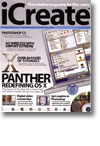
Panther: Redefining OS X
- Article 1 of 53
- iCreate, October 2003
Apple is shortly going to release another landmark version of the Mac OS – Mac OS X 10.3, codenamed Panther. Join us for a guided tour of the future of the Mac platform as we preview the myriad of new features in this major update
Page 1 | Page 2 | Page 3 | All 3 Pages
There’s also a new actions button which provides easy access to all the options once hidden in the contextual menu (what do you mean you don’t know how to get contextual menus? You’re not alone. Apparently, most users of the Mac OS, both old and new, didn’t know there were contextual menus, since standard Mac mice only have one button).
There are some big changes to the Finder that fall under the general category of ‘Wow’ and are worth looking at in greater detail (see fast user-switching and Exposé in box ‘Six amazing new features in Panther’). But other smaller elements are different as well and make a bigger impact on everyday use. In one excellent change on Apple’s part, the previously useless Network ‘globe’ that appeared in Finder windows now gives you a view of all the servers on your network. In other words, it now does exactly what it always should have done and what everyone expected it to. Radical or what?
It’s not just the Finder that’s changed. Virtually every program in 10.3 appears to have had a slight makeover with the intent of making it easier to use. The open and save dialogs are almost up to their OS 9 levels of usability thanks to the inclusion of column views as well as list views. There’s a decent network setup assistant, a character palette in every program that gives you access to all the symbols for which you previously had to go to Keycaps, menubar icons for Classic, the ability to compress files into Zip archives directly from the Finder menu, and the accessibility options for the deaf and blind are vastly improved.
Just to prove that every OS X release has to have a few things brought back from the dead (aka Mac OS), desktop printers are back, folder actions are back, and labels have returned to the Finder. Which at least means you can now colour-code all your files. Hooray.
Now, with a little bit of thought, you could see how some of these interface improvements might be worth the upgrade price alone. While many Mac traditionalists and user-interface experts may throw up their hands in horror, I found that after using 10.3 for a while, it was a great shock to go back to 10.2. The speed improvements in the whole system are at least as great as the improvements from 10.1 to 10.2 and it is now as fast as OS 9 at most things, and faster at others. The new Finder windows are definitely an improvement, and having two toolbars means you can have twice as many shortcuts in one window without it stretching from screen edge to screen edge. If I were to add up the amount of time these features might save me, I’m pretty sure it wouldn’t be too long before they paid for themselves.
But it’s not many people, myself included, who would buy an operating system on the strength of a time and motion study of interface usability. Fortunately, Apple has also chosen to include a few more headline grabbers. Well-aware that its former claims - that OS X would revolutionise font management and programs such as ATM Deluxe and Suitcase would be things of the past - were pretty much crazy talk, it has developed Font Book, a tool for viewing, enabling, disabling and installing fonts. While an improvement on OS X’s current inept font handling, it still displays the notorious “Not Invented Here Syndrome” that Apple has frequently exhibited. Although the requirements for calendar software (time zones, “Go to Today” buttons, etc), address books (categories for contacts) and font management programs have been well-known for years, Apple insists on developing software such as iCal and Address Book that lack these major necessities. Font Book lacks the versatility of Suitcase and other similar utilities, insisting that fonts have to be stored in folders of its own determination. It lacks the auto-activation features of commercial font management programs. It also completely choked on my (admittedly very large) collection of fonts, although Apple says it will be better come final release time.
The other big addition is FileVault, the kind of thing that will endear Apple to businesses. An improved version of the Apple File Security software bundled with Mac OS, FileVault encrypts data on the fly so that if someone nicks your laptop, they won’t be able to read the data in your home directory, even if they take your hard drive out and use another computer to read it. FileVault’s not as good as a Windows encrypted hard drive, which protects data at the file system level (FileVault is effectively a file system on top of a file system so is slightly slower than an encrypted drive), but it’s still a pretty good step in the right direction.
Panther is undoubtedly a worthwhile investment for just about anyone capable of running it. The speed improvements are impressive and the interface enhancements make OS X feel as friendly and useful as OS 9, while still maintaining OS X’s power and reliability. Oddly, it’s not the major features that make it worth buying, although these are impressive in their own rights. It’s the little improvements throughout the whole system that make it a wise purchase. Even if Apple weren’t certain to make sure all its future iApp updates run only on 10.3, Panther is going to be a must-have investment.
Page 1 | Page 2 | Page 3 | All 3 Pages