
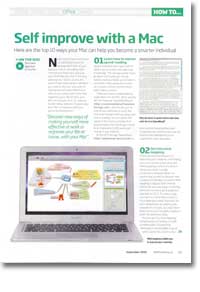
How to improve your brain with a Mac
- Article 80 of 89
- MacFormat, October 2009
Let your Mac help you to become even smarter
Page 1 | Page 2 | Page 3 | All 3 Pages
Your Mac’s clever. Very, very clever. It’s also very, very dumb. Let’s face it: without you, it would be nothing. It would just sit in the corner of a room, inactive. Your Mac may be your greatest asset, but you are also its.
Isn’t it great that you can help each other?
You see, not only can you make your Mac smarter, your Mac can make you smarter, too. It’s one of the best tools around for helping you learn about just about anything.
Learning how to learn better is one of the first things your Mac can help you with. After all, it’s much better to spend a few hours improving your learning skills than waste days trying to learn things with nothing going in.
There are many techniques for improving your learning skills. Mind Mapping is one of the best ways to organise your thoughts and learn: it allows your brain to make connections between ideas in a natural way, as well to discover new connections between concepts. You start with a central idea or word in the middle and create ‘branches’ from it for each related idea. By creating this network of concepts, you may find it helps you to clarify your thoughts and make it easier to remember ideas.
Fortunately, there are many different mind-mapping applications available for your Mac. Each has advantages and disadvantages, depending on the purpose you’re using it for. To get the most from mind mapping, you’ll have to find the application that suits you, but the best are MindJet MindManager (http://www.mindjet.com/products/overview.aspx); ConceptDraw Mindmap (http://www.conceptdraw.com/en/products/mindmap/main.php), iMindMap (http://www.imindmap.com/features/), NovaMind (http://www.novamind.com/), and OmniGraffle (http://www.omnigroup.com/applications/OmniGraffle/).
Speed-reading is also a good skill to have if you’re going to be digesting knowledge. The average reader reads at about 200 words per minute. Speed-reading lets you take in more than 1000 words per minute, but requires serious concentration, which takes practice.
There are various speed-reading tutors for the Mac. Most work like the freeware Speed Reading III (http://customsolutionsofmaryland.50megs.com/speedreadingiii.htm/), which lets you try to read by looking at two midpoints on each line and moving forward without going back and re-reading. You can adjust the speed of the moving window from approximately 200 words per minute to 1,500 words per minute as you get better.
A more sophisticated application is iSpeedRead (http://ispeedread.iverbum.com/), which includes comprehension tests to see if you’ve retained the information you’re supposed to have absorbed.
Simple sharpness of thinking is another great asset to have, in and of itself. If you just want to get your mind working at a faster pace, a little exercise will go a long way. Crosswords are a good way of getting your verbal skills warmed up. There are a significant number of crossword puzzle programs for the Mac, as well as a number of online puzzles at various newspapers’ web sites. Infinite Crosswords (http://www.macgamestore.com/detail.php?ProductID=760) gives you access to Sunday puzzles from the LA Times and the Washington Post; the New York Times has a subscription service and a dedicated cross-platform crossword puzzle program built using Adobe Air (http://www.nytimes.com/timesreader), and there are programs for mobile phones, including the iPhone, as well (http://www.magmic.com/nytimes/crosswords-get.php).
Page 1 | Page 2 | Page 3 | All 3 Pages