

Review: BeLight Software Get Backup 2
- Article 68 of 89
- MacFormat, April 2009
Backup software that offers slightly scary file synchronisation, too
There are many applications for helping you backup data, including Carbon Copy Cloner, Leopard's Time Machine, and MobileMe's Backup. Yet most of these aren't full featured or easy to use or come only as part of other software and services.
For those who want a little more power and ease of use, have Tiger and don't want to pay a MobileMe subscription each year, Get Backup is the obvious alternative - and with version 2.0, it also includes file synchronisation functions for making sure two different Macs are up to date.
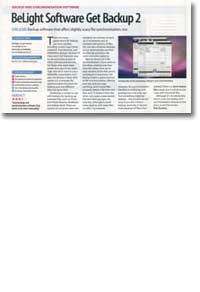
Get Backup is simple to use, with buttons for backing up common files, such as your iTunes and iPhoto libraries, your Mailboxes and your Address Book. You can then pick a destination for the backup - anywhere you can select in the Finder or a CD or DVD. There are options to compress data into standard .tar archives, to back up in increments and to maintain old versions of files. You can also schedule backups to run automatically and filter out files by extension, file name and other patterns, making it more powerful than some of the free options.
New to version 2.0 is file synchronisation. If you work on two Macs, making sure they have the same, most up-to-date versions of the files you're working on is extremely important. Get Backup makes a good attempt at file synchronisation, offering both one-way and two-way synching, and it also tracks files on both Macs properly: delete a file from one Mac and it'll delete it from the other, not create a new version the next time you sync. It's very fast, although it slows down to a crawl and rainbow beachballs continuously when you're dealing with many files or a wireless g network. The synchronisation interface is also quite confusing, with arrows that seem to go the wrong way and greying out being the only sign that something might be deleted - the process can be quite scary if you don't have a backup: ironically enough, it doesn't make backups of files it has deleted. A "don't delete files" mode is available, but will quickly drive you crazy with 'immortal' files.
However, although it's not absolutely best-in-class, for both backup and synchronisation features at this price, it can't be beaten.