

Tutorial: How to… stream videos over the Internet with Toast
- Article 69 of 89
- MacFormat, April 2009
Use Toast to give you access to your videos on the move with an iPhone or iPod touch
There are two things most people who own an iPhone or an iPod touch come to realise, one great and the other not so great: it's fantastic to be able to access the Internet almost everywhere; videos take up a lot of space so there's never quite enough room for everything you want.
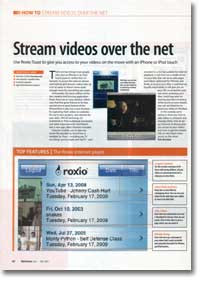
Fortunately, the latest edition of disk creation and burning application Roxio Toast has an easy solution that uses that first great feature to fix that second not-so-great feature of the iPhone/iPod. As well as a new function for capturing Flash videos on web sites for use in your projects, new themes for your disks, AVCHD archiving, CD audiobook to iPod audiobook conversion and other improvements, there's a new app called Streamer included.
Streamer let's you take any movie file playable by QuickTime or readable by Toast - including any TV recordings you've made with EyeTV - and encode it in a format suitable for Internet playback. It will then run a media server on your Mac that will serve web pages and videos optimised for iPhones and iPods, as long as your Mac is switched on. Equally importantly, it will give you an easy URL to remember and use when accessing your Mac. And if you plan on leaving your Mac encoding while you're on your travels, you can set Streamer to email you using Mail when it's finished encoding your videos.
In this tutorial, we're going to show you how to add videos to Streamer and manage them, how to set up Streamer to always give you access to your videos and how to get that simple URL to view them when you're on the move.