
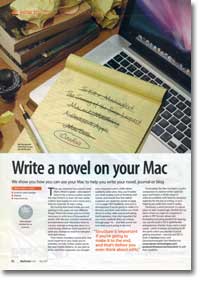
How To… write a novel on your Mac
- Article 70 of 89
- MacFormat, April 2009
We're going to see how the Mac can help you write your novel, journal or blog
Page 1 | Page 2 | Page 3 | All 3 Pages
They say everyone has a novel inside them. Which is great - who doesn't want to be a famous author and be the new Dickens or even the new Jackie Collins? Maybe it's not a novel, but a diary or a journal. Or even a blog.
But having that novel inside you and getting it on to paper are two different things. There's the sheer amount of time necessary to write tens of thousands of words, with the ever constant enemies of procrastination and distraction there to cut your average writing rate down to a crawl during whatever brief moments of quiet you manage to snatch in between work and chores.
Then there's mundane practicality: that novel might be in your head, but it's probably not fully written unless you're the new Samuel Taylor Coleridge. As you write it, you find that characters you thought were important aren't and others suddenly come alive, you realise you need to keep track of time lines and scenes, and should Tom the halfwit surgeon's son reveal his secret on page 115 or page 230 - or both? Suddenly, structure is all-important if you're going to make it to the end, and that's even before you think about re-writes, edits and proofreading. And inspiration, that vital ingredient for any novel, suddenly dries up midway through page 16. Then page 17. Then pages 35, 45, 50, 54... and then you're not sure what you're going to do next.
Fortunately, the Mac has been the preferred tool of creative writer types for years and there's a whole range of software that you might already own with features designed explicitly for writers - and that can help you make that novel a reality.
Obviously, a word processor is a good place to start. Surprisingly, TextEdit isn't as bad a choice as might be imagined. It writes in RTF format, allows text formatting including double line-spacing, can use the built in OS X spellchecker and grammar checker. If you want a word count - always something to lift the spirits when you wonder if you're getting anywhere - you can use OS X's built-in Services menu and Devontechnologies' free WordService (http://www.devon-technologies.com/products/freeware/services.html) to add that capability.
But if your needs are a little more advanced and you want things like footnotes, an index, stylesheets for structuring the document or some kind of organisational ability, you're going to have to look elsewhere. The obvious port of call for most writers is Word 2008 (http://www.microsoft.com/mac/products/Office2008/default.mspx), the undisputed champion of word processing. If you need a particular feature in a word processor, you can pretty much guarantee that Word will have it.
But for many writers, that's a problem. Word is overkill. It has so many bells and whistles, they can be distracting, and distraction and procrastination are the enemies of productivity. Even once you've turned off your email, turned off your wireless Internet connection, promised yourself you won't play any games or "just look something up", you may find your eyes roaming for exciting things to look at. You may find yourself studying the beautiful colours of all the Dock icons as you re-enable the magnify feature and swish the cursor to and fro or wondering what the exact optimal arrangement of all the toolbar icons is as you customise them for the sixteenth time.
So there is an array of word processors that are specifically designed to have fewer features than Word and to be less distracting, typically with an uncluttered full screen mode.
Although not specifically designed with writers in mind, Apple's Pages 09 (http://www.apple.com/iwork) has a full-screen mode, designed to reduce that distraction. This hides the menubar and the Dock, and turns the screen black, leaving you with only a page number, word count and the document itself - you can also mouseover the left of the screen to get a pop-out view of all the pages in the document.
One of the pioneers of the full-screen writer's mode is Hog Bay Software's WriteRoom (http://www.hogbaysoftware.com/products/writeroom), which is an exceedingly basic word processor in most regards but gives you a highly customisable full screen mode. You can view your document in an exciting array of colours - although not too exciting, hopefully - and even go for the old style black on green VDU look if you're feeling nostalgic.
But you can also configure more useful options: whether to include a word, page, line or character count on-screen; how far down the screen the cursor can go before the document starts to scroll; how much padding to put round the document; and how often to auto-save - because nothing annoys a writer more than seeing all those precious words go up in smoke just because Word is having an off-day.
Page 1 | Page 2 | Page 3 | All 3 Pages