
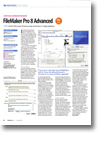
Review: FileMaker Pro 8 Advanced
- Article 2 of 89
- MacFormat, November 2005
At last! After years of trying, power and looks in a single database
It's hard to know where to start with FileMaker Pro 8, albeit in a good way. It was easy enough to highlight all the new and technically important features that FileMaker Pro 7 had to offer. But version eight of every Mac owner's favourite user-friendly database application has few headline features. What it does have is almost countless little improvements here and there, designed to make life easier for user and developer alike.
Let's start with those headline features first. A common problem with FileMaker Pro in the past has been getting data out in a sensible format. Since Excel's analysis and presentation functions are still far greater than FileMaker's, this was often the first port of call for anyone wanting to dig deep into the data as soon as possible. So being able to skip the dismal and accident-prone world of the CSV export using FileMaker's new Excel export is a godsend.
Version eight also includes a pretty powerful PDF generator. While you could generate PDFs using OS X's Print to PDF function, this was useless for anyone developing a cross-platform database and lacks many of the functions of a decent PDF creator. Now you can specify passwords for opening, editing and printing PDFs and add metadata such as Title and Author. The PDFs are otherwise identical to the OS X PDFs, so there are no worries about layout changes in your e-forms.
Next up, an email merge facility saves a trip to the Scripts menu and some cross-platform pondering. Now you can create one or multiple emails using database fields, adding an attachment if you feel like it.
Finally, an importer lets you bring data into your database, creating a new table of fields on the fly. That's a considerable timesaver over the previous manual process for anyone with a complicated existing system.
FileMaker Pro Advanced, the new name for "Developer", has a few extra bells and whistles designed to make developers' lives easier, too. A data viewer lets you monitor variables, so you can see how your development changes affect them. You can disable script steps, a useful method of pinning down the source of a bug, particularly in combination with the improved Script Debugger, which lets you step through scripts, line by line, to find the cause of your problems. Finally, the oft-wished-for table importer has arrived, making it relatively easy to duplicate existing table schema and combine several FileMaker files into a single database. It isn't perfect, particularly if you have a considerable number of relationships between the files, but it's a good start.
Enough with the headline features, though. FileMaker Pro 8's strengths are in the fine details: calendar pop-ups for entering dates more easily; tooltips to explain features of layouts; script variables so you don't have to define global fields every time you need to store an intermediate value; a way to get scripts to return values to calling scripts; an instant Find facility to find records whose values match the currently selected field; layout alignment tools for making fields the same length; tabbed layouts; auto-complete; and a Word-like spellchecker that underlines mistakes. Separately, none of these is a killer. Together, they make FileMaker Pro 8 a worthwhile upgrade, just in terms of the time it will save you.
There are a few minor issues, many of which haven't been fixed from version seven. Rendering of smaller fonts is still poor, particularly when right-aligned, when FileMaker can go completely haywire. Using FileMaker layouts as the basis of e-forms is still very much a trial-and-error affair, since what you see is not always what you get when printed. There also appear to be changes in the layout engine again, enough to make previously pixel-accurate layouts appear disjointed. Before deploying FileMaker Pro 8, check your layouts close-up, just to make sure nothing's "slipped".
Despite these niggles, both new versions of FileMaker Pro are excellent, professional solutions for database creation and management. If you don't already have FileMaker, get it; if you do already, version eight is a worthy upgrade that should make life easier for both you and your customers.