
Review: Freeway 4 Pro
- Article 1 of 89
- MacFormat, November 2005
The missing link between DTP and the web for people who don't want to code
Virtually every print designer who wants to make the transition to the web looks for two things: a way to avoid writing code and a program that is as close to page layout programs such as QuarkXPress and Adobe InDesign as possible. It's no surprise that Softpress Systems' Freeway has earned itself a following among many designers, since it grants both wishes at an affordable price. But it has never managed to attract the attention of web pros, who regard it the same way a print designer does AppleWorks. The latest version, Freeway 4 Pro, builds on an already-strong toolbox of functions that should at least tempt web designers, even if it probably won't be enough to drag them away from Dreamweaver or GoLive.
Anyone familiar with Quark will find Freeway easy to get into. You place boxes on your layout where you want your page elements to appear. You then type into them or import text or graphics. So far so simple. But where Freeway really trumps the likes of Dreamweaver and GoLive is in its ability to go beyond conventional HTML layout restrictions. You can rotate boxes, group them, get text to flow from one to another, just as you would with a print layout, with Freeway working out for you how to make this work in HTML. This makes it far easier for you to "get creative" on the page than it is with other programs that essentially force you into thinking about the code as you're designing.
One of the big problems of this approach, however, is that it leaves you at the mercy of Freeway's coding abilities. Previous versions of Freeway have produced code that was either older than the Ark or so bloated that you had time to make a cup of tea before your page loaded in a browser. Version 4, however, sweeps most of that away to bring proper support for the latest HTML and XHTML standards, as well as cascading stylesheet-based positioning. Not only is the code a lot cleaner, it also loads a whole lot faster as a result.
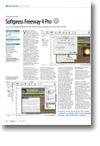
As well as the work behind the scenes to bring Freeway's coding up to scratch, there have been very visible changes to its interface, all of them for the better. While Freeway 3.5 looked very much like an OS 9 application that had been tinkered with to work with OS X, Freeway 4 has the full-on OS X look and feel, complete with customisable toolbar, scrollwheel support and contextual menus. Most of the toolbar icons echo existing palette options, but with a crowded screen, a toolbar at the top makes more sense than an obstructive palette. Talking of palettes, they now look the part as well; long-time users will be relieved to know that more or less everything is in the same place as before, albeit with the occasional useful addition that make everything just that little bit easier to use.
While there are a large number of minor worthy additions, such as Spotlight and Unicode support, the ability to upload content directly to a .Mac home page and a drag-and-drop site management panel, perhaps the biggest improvements to Freeway are its new graphics capabilities. These trump even Quark's for the most part, making Photoshop a rare visit for the Freeway 4 user. Create text and style it any way you like in Freeway, taking advantage of the same kinds of typographic tools you'd expect in a normal DTP package, and come publishing time, Freeway will create GIFs out of anything that won't translate well into HTML. Don't worry that your entire page will become a graphic: Freeway won't let you style anything in a way that's incompatible with HTML unless you specify the text should have GIF formatting. Version 4 also lets you style imported images with embosses, duotones, posterizes, fades and a long list of other Photoshop-style filters without having to buy a FAST add-on pack as before.
Unfortunately for Softpress, pro web designers are still going to look down their noses at Freeway. First, there's its insistence on fixed-width layouts. While Softpress may be trumpeting how XHTML and CSS make code suitable for mobile devices, by insisting users must specify how wide their layouts should be, Freeway essentially rules out that option, unless you go to great and ingenious lengths.
Then there's the code itself. While it is undoubtedly cleaner than previous Freeway code and didn't have any problems in Mac or Windows browsers as far as we could determine, Freeway does have a marked preference for HTML 3.2-style write-up and tables when left to its own devices. The XHTML that it exports, while very nearly standards-compliant, fails the advanced pedantry of the W3C Validator and BBEdit's syntax checker. And if the bloat that's now missing from Freeway's HTML has gone anyway, it's taken refuge in stylesheets, which just ooze with redundancy, strange programming choices and class specifiers at every possible opportunity.
Freeway also has very profound problems dealing with other programs' code. While you can import HTML into your sites and layout - external stylesheets are given short shrift, however - Freeway will wrench, distort and tear the HTML, usually injecting it full of table formatting that will make a sensitive coder shudder in horror. As a result, Freeway makes a bad team player so should only be used by itself or to design layouts, with other software picking up the heavy lifting once Freeway's generated its HTML.
Lastly, dynamic content via PHP et al, while supported, gets none of the error checking, code completion and syntax highlighting the big guns offer. Any serious coding also makes a nonsense of the page layout metaphor, as it does with the other WYSIWYG packages, but while they offer a source code view to compensate, Freeway has to resort to dialog boxes to give you editing freedom. This makes Freeway a poor choice for anyone developing a highly dynamic site.
Freeway 4 Pro is undoubtedly the best package for anyone creative wanting to make web pages as aesthetically pleasing as their print layouts with the least amount of effort. But for serious web work, while it can offer an excellent starting point, you're still going to need something more powerful.