
Review: FontDoctor X 7.1
- Article 9 of 89
- MacFormat, March 2006
Keep your fonts healthy and organised
It's a truth universally acknowledged that nothing can bring a Mac to its knees more quickly and more silently than a corrupt font. System slowdowns, freezes and application crashes can all be caused by a damaged font and it might take you forever to find the cause - without help that is.
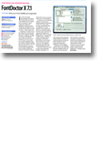
FontDoctor X is a three-in-one font utility that is easily the best tool on the market for spotting fatal flaws in typefaces. Its main use is repair: it can identify serious and minor errors in all the font types on the market. It can also spot superfluous fonts that might be artificially swelling the size of your library.
But it has two other features of note: it can sort your font library alphabetically and into folders, splitting up suitcases if necessary. It can also archive your fonts, so you have a way to recover them if you run into problems at a later date.
On features, we can't fault it. It can nag a lot, requiring frequent reassurances on first run. It is also overly sensitive, reporting flaws that are unlikely ever to cause problems, but causing you to throw out reasonably problem-free fonts. Some users have also reported that FontDoctor X deletes fonts stored on external FireWire drives - a problem we couldn't reproduce without resorting to a faulty drive. Nevertheless, as you'd expect with a tool that cuts up and moves your font collection around, back up everything before you use it.
Long-time FontDoctor X users on Tiger will be slightly pleased by Spotlight integration in 7.1 that speeds the program significantly in certain situations. But the included Automator actions are both gratuitous and superfluous to just about any workflow you could imagine.
FontDoctor X is an invaluable utility for anyone who deals with fonts from multiple sources or who has had their hard drives corrupted at some point and wants to know which fonts are still safe to use. The price tag is a little high for what it does and while it errs on the side of caution too often for most people, it does the job it's supposed to and it does it well.