
Review: FontLab Fontographer 4.7.1
- Article 8 of 89
- MacFormat, February 2006
Back from the dead after a decade, Fontographer is here to help you create your own fonts.
There was a time when anybody who wanted to create a font used Fontographer. Created by AltSys in 1985, Fontographer was the first font creation program of note for the Mac. It was also the first program to use Bézier curves for design. Eventually, Macromedia bought it and after playing with it for a while, it threw out its new toy. The last update for Fontographer came in 1996 and it has slowly faded into OS 9 obscurity every since.
In the interim, various programs came to fill its place, not only to allow font designers to carry on with their jobs, but also to support the new font types, such as OpenType, that were emerging. Top of the list of vendors was FontLab, which developed the low-end TypeTool and the high-end FontLab Studio to meet these needs. In May 2005, the company bought Fontographer from Macromedia and in December, it released the first Mac OS X compatible version of Fontographer - version 4.7.1.
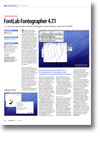
Aimed at the intermediate user, Fontographer is both simple to use and bafflingly complex. Open up a font file in Fontographer and you get a full run-down of characters. Double-click on a character and you can start dragging Bézier handles around as if you were in Illustrator or InDesign. If all you want to do is customise a font, then that makes Fontgrapher ideal, easy to use - and over-priced.
Fontographer's real power is in its tools for creating fonts from scratch and that's where it begins to get complicated. If that's your aim, be aware that its two manuals - a 529-page user guide and a 261-page technote list - are not going to be optional reads. You can play around with the program for a while, but unless you read the manuals or already know the best ways of creating a multiple master font, when to use hinting and how to interpret font metrics, you'll pretty much be wasting your time. This is not a program for a typography beginner.
Nevertheless, if you do know your delta hinting from your sidebearings, Fontographer has a powerful featureset. You can copy and paste images into a template layer and then get Fontographer to trace them (with occasionally mixed results). You can set up a whole typeface then get the program to generate kerning tables for every conceivable pair. You can add optimisation features to alter how the font behaves at small sizes. You can get Fontographer to clean up your work or change the weight of your font.
When you're done designing, you can export your typeface in one of several formats, including PostScript Types 1 and 3, TrueType and Multiple Master. You also have a choice of target platforms, including Windows, Sun and amazingly NeXT.
For long-time users of Fontographer, this first release from FontLabs is little more than a maintenance update that fixes a few bugs, adds support for the euro and updates some encodings. Essentially, OS X compatibility is the only really big selling point. But at £60 or so to upgrade, it's worth buying if it's the only Classic app left on your Mac.
If you're a high-end font designer, however, you won't be particularly swayed by Fontographer, except if you're nostalgic for earlier times or you enjoy using a slightly simpler interface to the one you're currently used to. FontLabs' own FontStudio 5 remains a far more powerful tool, with native support for TrueType editing, and Arabic and Hebrew fonts. It also fully supports OpenType fonts, which Fontographer does in a cursory manner if it can be described at supporting them at all. It does, however, have a more complicated interface and is nearly twice the price, making Fontographer a better choice for intermediate designers with no interest in the OpenType or Middle Eastern markets. Even so, its price tag is at least £50 too much for what's being offered.
Fontographer is a welcome blast from the past that we think will begin to make its mark again with its next release. Hold on till then unless you need a new font tool now. If you do, you'll be able to put your money on the table with few worries.