

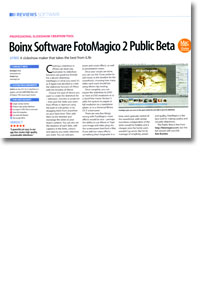
Review: FotoMagico 2 Public Beta
- Article 33 of 89
- MacFormat, February 2007
A slideshow maker that takes the best from iLife
Creating a slideshow in iPhoto can leave you frustrated. Its slideshow functions are good but limited. For a decent slideshow, FotoMagico is what you need.
It's as if Apple had decided to meld the slideshow function of iPhoto with the timeline of iMovie. Choose the type of device you want to create the slideshow for - television, monitor or projector - then pick the slides you want from iPhoto or Aperture using the built-in iLife picker, or by dragging them from anywhere on your hard drive. Then add them to the timeline and rearrange the slides to your heart's content.
You can also set the duration of each slide, add captions in the fonts, colours and opacity you want, wherever you want. You can add pan, zoom and rotate effects, as well as presentation notes. Once your visuals are done, you can use the iTunes picker to add music to the timeline for the soundtrack, choosing how many slides each track should last using iMovie clip resizing.
Once complete, you can export the slideshow to iDVD or Toast at DVD resolution or to a QuickTime movie. Version 2 adds the options to export at full resolution to a standalone player, or to a Universal Binary OS X screensaver.
There are very few things wrong with FotoMagico: more effects would be nice - perhaps the ability to use iMovie or Tiger core image and video plug-ins; the screensavers hard-lock a Mac if you add too many effects, something that's forgivable in a beta; more granular control of the soundtrack, with similar transitions independent of the slides would be helpful; and a cheaper price for home users wouldn't go amiss.
But for its marriage of simplicity, power and quality, FotoMagico is the best tool for making quality and versatile slideshows. The Public Beta is free from http://fotomagico.com, but the full version will cost £50.