
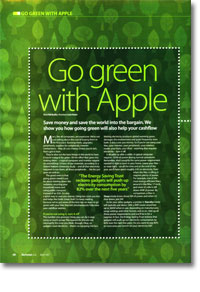
Go green with Apple
- Article 34 of 89
- MacFormat, February 2007
Save your money, save the world. Rob Buckley shows you how going green will save you cash.
Page 1 | Page 2 | Page 3 | All 3 Pages
Computers are expensive. We’re not just talking about the cost of buying them in the first place. Running them, upgrades, peripherals, supplies for peripherals, Internet connections: they all cost money. Unless you’re rich, that’s got to hurt.
They’re also not the best things in the world to have if you’re trying to be green. All the effort that goes into making them – a typical computer and monitor require an astonishing 1.8 tons of raw materials, according to a United Nations University study – all that electricity required to run them, all those supplies for the peripherals… Hang on, these lists are starting to look the same.
That’s no coincidence. The good news is that going green needn’t just be about turning down the radiators, recycling your household waste and using public transport instead of an SUV. It’s also about saving you money. Using less costs you less and helps the Earth. Great, huh? So keep reading: we’re going to show you some great tips on the best ways to go green with your Mac that will simultaneously save you money.
If you’re not using it, turn it off
The number one greenest thing you can do is stop using so much power. The reasons for this are not necessarily the ones you think though. Okay, so gadgets need electricity – there’s no escaping the fact. Making electricity produces global warming gases, damages the environment and quite frequently does both. It also costs you money. So if you’re not using your Mac, your monitor, your peripherals, your wireless router, your hubs, your iPod – anything that requires electricity – turn it off.
It all adds up after a while. A typical computer requires 100W of power during normal operations. Remember, that’s roughly the same power requirement needed to light a room in your home. Leave your Mac – or main light – on all the time and at the end of the year, you’ll have spent roughly £45 on electricity. Even when the Mac is idling, it requires plenty of power: one of the most energy efficient Macs around is the iMac 17“ and idle, it still draws 44W of power. By comparison, a Mac in sleep mode draws about 4W of power and when it’s turned ‘off’, 3W.
As for your other gadgets, a printer in stand-by mode will typically use about 10W; a WiFi router anywhere between up to 300W when in use, depending on manufacturer, range settings and other factors; and so on. Add up all those power requirements and you’ll be in for a surprise. In fact, the Energy Saving Trust reckons that gadgets will push up our electricity consumption by 82% over the next five years. Do you want to pay 82% or more extra per month on your electricity bill? Electricity prices aren’t going to do much except increase in the future, so the problem is set to get worse.
Even if that all seems a trivial saving, buying new equipment is undeniably costly. Turning off your equipment when you’re not using it makes it last longer. Most gadgets are rated to last for a certain amount of time: a ”mean time before failure“ (MTBF). Hard drives, for example, tend to have a MTBF of a few years. If you use your hard drive less often by spinning it down when it’s not in use, you’ll use up less of that MTBF. That means you might be able to postpone indefinitely the day when you have to replace your hard drive. Factor in the time taken to get a replacement, the repair costs, potential loss of data because your backup wasn’t quite as up-to-date as it should have been, the time needed to restore from backup and so on, and you’ll see that reduced power consumption will save you far more than just the electricity costs in the long-run.
One of the good things about Macs is that you can automate them to do things you forget. Your Mac’s Energy Saver settings can help you clamp down on your Mac’s power usage. Reduce the time before the display gets switched off or the computer goes into sleep mode to the lowest level you can. Set your hard drives to sleep whenever possible. And if you’re in the habit of leaving your computer on at night, whether that’s because you’ve forgotten to switch it off or the office manager likes to back up the data when everyone’s gone home, use the Schedule button to get your Mac to turn itself off automatically at night.
Incidentally, one of the main reasons for hard drive failure is a build-up of heat. Less power usage also means less heat which means happier times in Summer. Not only will you have to spend less money on simply running your Mac, you can also avoid knock-on costs for fans and air conditioning.
Monitor your monitor
There are various levels of monitor evil. A CRT monitor draws roughly 100W when in use. Add that to the power requirements of your Mac and you can see you’ve doubled your electricity usage already, if not more. An LCD display needs only 50 or 60W, so they’re a far better choice if you have no need of a CRT’s capabilities; they also require fewer resources to make and are frequently cheaper.
Page 1 | Page 2 | Page 3 | All 3 Pages