
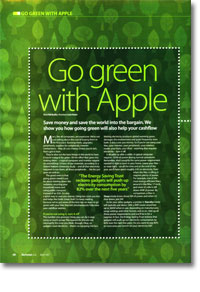
Go green with Apple
- Article 34 of 89
- MacFormat, February 2007
Save your money, save the world. Rob Buckley shows you how going green will save you cash.
Page 1 | Page 2 | Page 3 | All 3 Pages
Virtually all displays have power-saving modes: if they’re not in use for a certain period of time, they’ll dim or turn off the screen automatically. You can speed that process up using the Energy Saver system preference.
However, if you’ve activated your screensaver, forget all of that. The screensaver is the enemy of power-saving; as long as it runs, the screen can’t turn off and the display will draw the maximum power, which ironically, will make your display fail more quickly.
So if you’d actually like to save your screen, go to your Desktop & Screen Saver system preferences and switch the screensaver to activate ”Never“ or at a time after your display would be put to sleep by your Energy Saver settings.
Upgrade not replace
Although Apple will probably hate us for saying this, the best thing you can do to go green is not to buy a Mac. We’re not saying you should buy a PC. But at the very least, if you are thinking of buying a new computer – or any other piece of hardware - ask yourself: do I really need it?
As we’ve already pointed out, making a new computer literally takes tons of natural resources, plenty of carbon dioxide-producing electricity, and produces, despite many manufacturers’ best – and sometimes worst - efforts, pollution aplenty. Not getting a new computer will make you greener and save you a few hundred or thousand pounds.
So before buying, see if there’s any way you can upgrade your existing machine. More memory will make many a Mac seem faster and with 1GB of RAM coming in at less than £100 these days, it’s a far cheaper prospect than a new Mac. New processors, new hard drives, extra USB 2.0 and Firewire ports using PCI cards: they’re all great ways to make that Mac last for longer and they’re all pretty reasonably priced.
If you decide you do need a new Mac, the Mac mini is the cheapest and the greenest, since it has low power requirements, only has a small amount of packaging and doesn’t come with a keyboard, mouse or monitor by default. The Mac Pro? Not so much…
Pick a greener printer
Have you noticed how cheap printers are these days? That’s because the manufacturers sell them at a loss. Crazy, huh? Well, not really, because they then sell us the replacement cartridges at exorbitant prices, which is where they make a healthy overall profit. Print 30 colour pages of A4 a week and by the end of 18 months, you’ll probably have shelled out nearly £1,200 on manufacturers’ own-brand consumables.
The biggest guzzlers of supplies are inkjet and Bubblejet printers. If you buy one, it might be because you want to print photos. But you’ll actually save money by using an online service to develop your digital pics instead. Most black inkjet cartridges give out after 90 A4 pages, colour cartridges at 40 or so. At £9 or more per cartridge, you’ll be spending a fortune in comparison to the online option, and that’s even before you’ve found the photo paper necessary. Since the laboratories and systems used to develop your photos will be vastly more efficient than your set-up, thanks to economies of scale and centralisation, this will also be the greener option, particularly if you order in bulk, rather than in dribs and drabs.
Maybe you just wanted a cheap printer for printing documents. In the long run, you’ll actually be better off with a laser printer. You can buy a colour laser from about £175 including VAT, and even the most basic can print 1,200 pages before it needs new toner. If you consider that laser printers’ black toner cartridges cost from £50, you’ll clearly be paying a whole lot more for an inkjet, particularly if you mostly produce black and white output. Switch to a laser printer and not only will you spend a whole lot less money on consumables, you’ll be using up far fewer resources.
Page 1 | Page 2 | Page 3 | All 3 Pages