

Go green with Apple
- Article 34 of 89
- MacFormat, February 2007
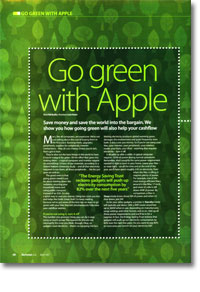
Save your money, save the world. Rob Buckley shows you how going green will save you cash.
Page 1 | Page 2 | Page 3 | All 3 Pages
There are even greener options than a laser printer though. Xerox claims its solid ink blocks (www.office.xerox.com/solidink/index.html) can last for 30,000 pages before they need replacing, and that for every 100,000 pages printed, they’ll only produce 4.4 pounds of landfill waste in total, compared with the 198.4 pound generated by a colour laser printer. Kyocera Mita’s printers (www.kyoceramita.co.uk) use a photocopier-derived technology to make a more environmentally friendly cartridge altogether, with fewer parts that take the cost per page in consumables down to a mere 0.3p per page. Indeed, since their printers have been designed from the ground up to be as environmentally friendly as possible, they should always be near the top of your printer shopping list.
Save on paper and printing
What paper you use and how you use it can save you plenty of money. Using recycled paper is a no-brainer, particularly since it’s now as cheap or cheaper than regular paper. But most laser printers offer one especially useful trick than inkjets can learn from to: duplexing. In other words, they use both sides of the paper. Laser printers usually come with an automatic duplexer, but you can replicate the effect by, erm, feeding paper back through your inkjet printer the other way up: it’ll halve your paper requirements and cut down costs accordingly.
If your eyes are up to it, you can reduce your ink and paper requirements even further by printing more than one page per sheet using the Layout options in the standard OS X print dialogue. Set the Layout option to two or more pages per sheet and you can halve your paper and consumable requirements.
You should also try to reduce the amount you print, using the Preview option to make sure the final pages aren’t adverts or otherwise blank, and set quality output to low and black and white if you don’t need full colour: that’ll reduce your ink needs even further.
These tips are just the beginning. You can make many simple changes to your digital lifestyle that will save you money and help save the planet. Even if it doesn’t save you money, recycling used inkjet cartridges and packaging, for example, won’t cost you money. So do what you can: you know it makes sense.
Page 1 | Page 2 | Page 3 | All 3 Pages