
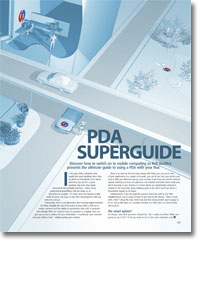
PDA superguide
- Article 8 of 53
- iCreate, August 2004
Discover how to switch on mobile computing as Rob Buckley presents the ultimate guide to using a PDA with your Mac.
Page 1 | Page 2 | Page 3 | All 3 Pages
PDAs that use the Palm OS are the more obvious choice for most Mac users since they all come with software for Mac synchronisation, with the notable exception of Sony’s Clié devices. Pocket PCs don’t, although you can buy extra software for Mac syncing. There are also no really cheap Pocket PCs, with HP’s iPaq Pocket PC H1930 probably the cheapest at £189, and most are heavier and bulkier than their Palm brethren.
So is there any reason for a Mac user to buy a Pocket PC? The simple answer for most consumers is, “No, not really”. But for business users and power geeks, Pocket PCs may be more appealing, even if Mac support is limited. The Pocket PC OS is really a cut-down version of Windows, so developers find it a lot easier to rewrite a Windows program slightly for Pocket PCs than to completely rewrite it for Palm OS. As a result, there are many business-level applications being developed for Pocket PCs that are not making it through to the Palm OS.
For the power geek, the hardware in a Pocket PC also appeals more than Palm OS hardware. Not only do Pocket PCs tend to have more memory, faster processors and bigger screens, they are also more feature-laden and more expandable. For instance, many Palm devices have Bluetooth; the top end Tungsten C has WiFi (what we Mac users call AirPort); but no Palm OS device has both.
It is possible to add additional functions to PDAs, but that’s often not enough with Palm OS PDAs. Many have a slot for secure digital (SD) cards, which can add Bluetooth, WiFi, memory, GPS tracking, digital cameras, back-up functions and so on. But there is often poor software support. The Bluetooth card only works with Palm OS 4, not the currently shipping OS 5, so if you do splash out on the WiFi-equipped Tungsten C, you won’t be able to add Bluetooth capabilities to it. On the other hand, if you decide to buy a Tungsten T3 (£289) or Zire 72 (£219), which have integrated Bluetooth, hoping you’d be able to add WiFi later, you’d be sorely disappointed: the software only works with the Zire 71, which is being phased out and doesn’t have Bluetooth.
However, even if there are features not available on your preferred model, there are often ways to overcome this problem. While you could buy a top-end Treo 600 PDA (£525 by itself, so try to get it on contract through Orange or one of the other networks) so that you have a GPRS connection for wireless email, web surfing, etc built in, why not get a free Bluetooth smartphone on a contract and buy a cheaper Bluetooth-enabled PDA? Not only will you then be able to get a PDA with more features than the Treo, you’ll be able to use your phone’s GPRS connection to access the Internet. So look around for combinations of devices as well as SD cards that might give you the capabilities you need, rather than holding out for an all-in-one model.
Also, be sure you need those features anyway. Do you really need both Bluetooth and WiFi? It might be nice to have Internet access wherever you go using Bluetooth and a phone, but you’re not going to get a GPRS connection when you’re abroad unless you know the local network provider’s settings. But with WiFi hotspots everywhere now, you should be able to access the Internet anywhere and at faster speeds using a WiFi-only PDA.
So before you decide whether to buy a Palm OS PDA or a Pocket PC, decide which features you’re going to need: Mac syncing or high-end PDA capabilities. Even with third-party software, the most a Pocket PC or Clié will be able to do with your Mac is synchronise with iCal, Address Book, iTunes, iPhoto, Mail or Entourage, read Word and Excel files and share its Internet connection. But you will get access to more business applications, both WiFi and Bluetooth at the same time and a greater range of expansion cards if that’s what you want.
By contrast, while you may not get all the things you want with a Palm OS PDA, its Mac synchronisation is leagues better. For one thing, all the Palm OS devices except the Clié include free personal organiser software based on Apple’s own Claris Organizer, which many still regard as the best personal information manager developed for the Mac. The Mac synchronisation software, HotSync Manager, will upload and download files to and from your PDA, including music, photos, voice memos and other files. But best of all, HotSync Manager supports plug-ins known as “conduits”.
Conduits enable HotSync Manager to synchronise other kinds of Mac data with programs on your PDA. Some of these are free, including Apple’s own conduit for iCal and Address Book. Others come with programs you can buy for the Mac: Office, Now Contact and Up-to-date, Chronos Organizer, Web Confidential and others all have their own conduits. Yet more support programs that you can buy for your PDA: WorldMate (which downloads currency conversion rates and weather forecasts for travellers), Leonard Maltin’s Movie Guide (the conduit downloads movie and DVD release dates to your PDA), Vindigo (which gives you maps; up-to-date movie times; and guides to shops, museums, restaurants, clubs, bars and even toilets for select cities) and AvantGo (which allows you to read web pages on the move, even if you don’t have an Internet connection) all have Mac conduits. You can even get a conduit for downloading Radio Times listings from the Internet to your PDA: the Radio Times application on your handheld can control your TV and satellite box using infra-red signals, too – try doing that with a PowerBook!
Synchronisation between handheld and Mac needn’t stop with just one computer. You can use the synchronisation software to unify data on Macs using a PDA. To sync the data on both Macs, simply connect the PDA to them in turn and run the syncing software a few times. Since PDAs all come with software that works with Windows, you can, in theory, also synchronise data between Windows and Mac.
Page 1 | Page 2 | Page 3 | All 3 Pages