
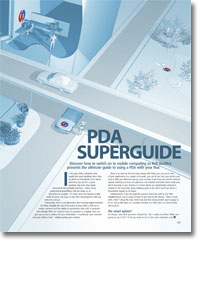
PDA superguide
- Article 8 of 53
- iCreate, August 2004
Discover how to switch on mobile computing as Rob Buckley presents the ultimate guide to using a PDA with your Mac.
Page 1 | Page 2 | Page 3 | All 3 Pages
Be careful however. Before you do anything, make backups. As anyone who’s used iSync can testify, syncing isn’t as easy as it looks and you can quite often end up with duplicate or deleted contacts. Take a look at the fields available in different pieces of address book software and you’ll notice that the information you can store about people in Entourage is quite different from what you can store in Outlook for Windows and so on. The same is true for the PDA as well. So the developers of synchronisation conduits have to make a choice: don’t synchronise all the information, or bung anything left over in custom and notes fields. This isn’t much of a problem when you’re only syncing one machine with a PDA or you stick to the same software on all your machines. But as soon as you start mixing software, you’re going to end up cross-pollinating your immaculate records in Address Book with useless cruft from other programs (Now Contact is particularly guilty of inserting “height of contact’s third child when he was seven” and other pointless make-the-sale! data into Notes fields). Be prepared for an initial period of checking and de-duplication when you start mixing software on different machines and keep a watchful eye on what happens in subsequent syncs. But with caution, you should be able to get a compromise data format that works on all machines and all software.
Once you’ve picked Pocket PC or Palm OS, look at both current and discontinued models to see which ones have the features you need and the aesthetic you want (some look less than cool, but you may be willing to grin and bear the mockery of your friends and random strangers). When PDAs are upgraded, there’s not usually much added beyond extra memory or slightly faster processors, so older models may well meet your needs just as well. Older models of PDAs also linger with resellers for far longer than older Macs and PCs. The Treo 90, for example, remains the smallest and lightest Palm PDA yet made; it is the only one available for under £300 that uses a keyboard rather than handwriting recognition for input; it can use a Bluetooth SD card to connect to mobile phones; and it was discontinued a year ago. Yet you can still buy it on Amazon for £137. So take a look at online stores to see if some of the now-discontinued models are still available and have the features you want, but at a cheaper price.
Be sure, however, to pay very careful attention to the features you’d be losing by going for a cheaper or discontinued model. A model with a Motorola chip will be too slow to play music or videos, for instance.
The planning over, you’re now free to go out and buy a PDA. Once people start using PDAs, they often wonder how they lived without them. The more you learn about them, the more you can get out of them, as you add software and make them suit your lifestyle and work. For a relatively small outlay, you can have an A-Z, a portable computer, your diary, your photo album, a travel guide, a TV listings magazine, a remote control and a music player all in one pocket. Now that’s magic, isn’t it?
Page 1 | Page 2 | Page 3 | All 3 Pages