

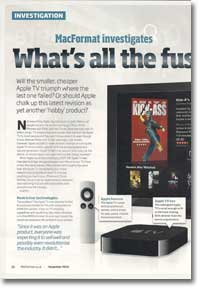
MacFormat investigates the new Apple TV
- Article 87 of 89
- MacFormat, October 2010
Is the smaller, cheaper Apple TV going to triumph where the last one failed?
Page 1 | Page 2 | Page 3 | All 3 Pages
A new feature that won’t be made available to the older Apple TV is AirPlay: once iOS 4.2 becomes available in November, you’ll be able to stream video from your iPod/iPhone/iPad to the Apple TV.
But it’s in purchasing where the big difference will be. You can longer buy anything on the Apple TV, only rent, and when you do, the Apple TV will stream the file from the Internet rather than download it. With everything streamed, you’ll need to have your computers switched on and iTunes running to have your photos or media show up. If there are programmes or movies you or the kids want to watch time and time again, you’ll now have to buy them through iTunes and download them on your Mac, which takes time.
In a repeat of the history of the first Apple TV, the content available on the Apple TV in the UK is going to be considerably poorer in the US, too. US owners will have the option of renting movies from Netflix and renting TV shows but UK owners will get neither of these two options: Netflix doesn’t operate in the UK and Apple hasn’t come to any agreements with any UK TV companies to stream their catalogue.
Why should you buy an Apple TV?
Nevertheless, as with the first generation, the new Apple TV is a great device for displaying your computers’ media on your TV. Whether it’s a movie from the iTunes store or a TV programme you recorded on your Mac’s PVR, it’s much more enjoyable to watch it on your TV than on a smaller computer screen. It’s easy to use and if you’re with people, it’s a much better option than getting everyone to gather round your Mac. When you have its music player or photo browser running on your TV, anyone visiting is invariably impressed: at £99, it’s comparable in price to a digital photo frame, but has so many more functions. When those visitors learn they can play movies in high def and Dolby 5.1 Surround Sound and get iTunes content onto their TV with it as well, the phrase “We should get one of those,” doesn’t take long to emerge.
Despite the absence of netflix and TV rentals, the Apple TV rental proposition is still strong. The Apple TV is particularly good if you want to watch a movie at home and you haven’t got Sky or Virgin – you could go out to Blockbusters, stream a low-quality movie from lovefilm.com to your laptop or get Amazon to post you a standard resolution DVD. But the new Apple TV will give you instant high definition movies on your TV in just a few seconds for more or less the same price. The iTunes Store has one of the largest movie catalogues around and can usually give you the movie you want when you want it. The new releases each week are invariably the same as those that Virgin and Sky Box Office show. Sky’s movie channels carry only 450 movies a week, most of which aren’t in HD, none of which you get to choose, and they cost £16 extra a month. Virgin is better, with a large back catalogue of movies and television shows on demand, but the movie range still isn’t as good as iTunes’.
The new Apple TV is not going to replace your Virgin, Sky or Freeview box, since it has no TV capabilities of its own. You’re still going to be watching the iPlayer on your computer or mobile device, or using your Virgin box or games console. But, the Apple TV is now an excellent and reasonably well priced compliment to these existing devices. It’s also the easiest way to get iTunes content, whether it’s on your Mac, your iPhone or in the iTunes Store, onto your TV.
Google TV: Internet video on your TV
Unsurprisingly, Apple’s rival, Google, is also getting into the TV market with Google TV. This isn’t a device like an Apple TV but is software that manufacturers can include in their TVs, Blu-Ray players or set-top boxes. It will let you search for and watch normal and web video content on your TV using Google’s Chrome browser and Flash. You’ll also be able to use Google TV to surf the web while you’re watching TV. Google is working with developers to create plug-ins and apps that use its Android operating system for Google TV to provide additional capabilities, such as recommendation systems and social networking features.
Compared to the Apple TV, Google TV is a completely different experience. Google TV devices will come with keyboards and provide access to web video and normal TV, something the Apple TV doesn’t. There are no rental features planned, although there’s nothing to stop anyone including them. Set-top boxes will almost certainly have hard disk recorders so will be able to record TV, something that the Apple TV can’t do. There are also no plans for Google TV to get content from other devices on your network, so you won’t have access to your iTunes content unless your Google TV device includes AirPlay.
Why not get a Mac mini?
For anyone wanting a true media centre, the Apple TV isn’t it. It doesn’t record TV. It doesn’t have a web browser so you can’t watch the iPlayer, 4oD or any other web-based streaming services. It doesn’t have the biggest of storage systems. It can only play a few file formats and it can’t output or play the highest resolution “1080p” high definition TV. True, you can hack the Apple TV to overcome these flaws, but it’s not easy.
A Mac mini suffers from none of these problems. It costs a lot more (£649) but it can do all the same things that the Apple TV can do, apart from play iTunes Store purchases while they’re still downloading. It has a large built-in hard drive and you can add additional storage through a USB connection. It had a built in DVD player and you can buy an external Blu-Ray drive to play Blu-Ray disks. You can install Perian (www.perian.org) so that you can play virtually every file format out there. It has an HDMI port, so you can connect it to virtually any high def television set on the market either directly or using a cheap DVI convertor. It can output 1080p content. You can also connect any PVR, such as Elgato’s EyeTV products (www.elgato.com), that works with a Mac to add Freeview or Freesat capabilities recording and live-viewing.
Page 1 | Page 2 | Page 3 | All 3 Pages