

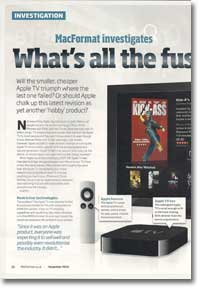
MacFormat investigates the new Apple TV
- Article 87 of 89
- MacFormat, October 2010
Is the smaller, cheaper Apple TV going to triumph where the last one failed?
Page 1 | Page 2 | Page 3 | All 3 Pages
Not everything Apple touches turns to gold. Millions of people around the world have bought Macs, iPods, iPhones and iPads, and the iTunes Store has sold over 10 billion songs, TV programmes and movies. But mention the “Apple TV” to most people and they won’t know what it is, even though it was released three and a half years ago. Last month, however, Apple decided to have another go at turning the Apple TV into a moneyspinner with the announcement of a second generation of Apple TV. Will it be second time lucky?
When Apple launched it in January 2007, the Apple TV was intended to bridge the gap between your Mac and your TV. More or less the same size as a Mac mini and with roughly the same look, the Apple TV connected to your home network and could play in beautiful quality on your TV virtually everything you had in your iPhoto and iTunes libraries. Since it was an Apple product, everyone was expecting it to sell well and possibly even revolutionise the industry.
It didn’t.
The problem was the Apple TV was severely limited. It could only connect to TVs with component or HDMI/DVI sockets. It had no TV-recording capabilities and would only play videos recorded in H.264/MPEG4 format. Its poor spec meant the maximum resolution high def content it could process was 720p, not 1080p. And in the UK, the iTunes Store didn’t offer TV or full-length movies. As a result, the £199 Apple TV was a nice but expensive way to play music and watch your photos on your television screen instead of your Mac.
Over time, the situtation improved. The UK store began to offer movies and TV shows. Mac PVR manufacturers began to offer Apple TV export functions in their software and hardware, and popular encoding software such as Handbrake began to acquire Apple TV presets. Apple added functions like YouTube video watching to the Apple TV as well.
Nevertheless, by the middle of the year, Steve Jobs had downplayed it as a “hobby”.
“Take Two” was the Apple TV’s grand relaunch in January 2008. As well as a simplified user interface, the Apple TV could now access the iTunes Store directly so users could buy TV shows and buy or rent high def movies.
But still few were biting, so Apple tried yet again. Version 3.0 of the Apple TV came out in October 2009. This had a completely redesigned user interface that took advantage of widescreen TV screens (see box). But again, there were few new features and so few new reasons to buy an Apple TV.
So Apple had yet another rethink. As he’d decided with Blu-Ray, Steve Job concluded that people don’t want to own things any more: they want to rent them. And so we have Apple TV – generation two
In a lot of ways, the new Apple TV is a better device than the previous model. It’s cheaper: £99 including VAT, which makes it a far easier sell. It’s about the size of a Mac power brick, which given it has its power brick is built-in is impressive. It uses the same Apple A4 that the iPhone and iPad use, rather than the anaemic Pentium M that often caused slow responsiveness and playback in the first generation. It draws only an eighth of the power of the original and with no hard drive, it’s not the furnace that the first Apple TV was. The interface has been refined (see box). It also looks cooler in jet black and uses a new aluminium remote control rather than the old white remote control.
A new feature that won’t be made available to the older Apple TV is AirPlay: once iOS 4.2 becomes available in November, you’ll be able to stream video from your iPod/iPhone/iPad to the Apple TV.
But it’s in purchasing where the big difference will be. You can longer buy anything on the Apple TV, only rent, and when you do, the Apple TV will stream the file from the Internet rather than download it. With everything streamed, you’ll need to have your computers switched on and iTunes running to have your photos or media show up. If there are programmes or movies you or the kids want to watch time and time again, you’ll now have to buy them through iTunes and download them on your Mac, which takes time.
In a repeat of the history of the first Apple TV, the content available on the Apple TV in the UK is going to be considerably poorer in the US, too. US owners will have the option of renting movies from Netflix and renting TV shows but UK owners will get neither of these two options: Netflix doesn’t operate in the UK and Apple hasn’t come to any agreements with any UK TV companies to stream their catalogue.
Why should you buy an Apple TV?
Nevertheless, as with the first generation, the new Apple TV is a great device for displaying your computers’ media on your TV. Whether it’s a movie from the iTunes store or a TV programme you recorded on your Mac’s PVR, it’s much more enjoyable to watch it on your TV than on a smaller computer screen. It’s easy to use and if you’re with people, it’s a much better option than getting everyone to gather round your Mac. When you have its music player or photo browser running on your TV, anyone visiting is invariably impressed: at £99, it’s comparable in price to a digital photo frame, but has so many more functions. When those visitors learn they can play movies in high def and Dolby 5.1 Surround Sound and get iTunes content onto their TV with it as well, the phrase “We should get one of those,” doesn’t take long to emerge.
Despite the absence of netflix and TV rentals, the Apple TV rental proposition is still strong. The Apple TV is particularly good if you want to watch a movie at home and you haven’t got Sky or Virgin – you could go out to Blockbusters, stream a low-quality movie from lovefilm.com to your laptop or get Amazon to post you a standard resolution DVD. But the new Apple TV will give you instant high definition movies on your TV in just a few seconds for more or less the same price. The iTunes Store has one of the largest movie catalogues around and can usually give you the movie you want when you want it. The new releases each week are invariably the same as those that Virgin and Sky Box Office show. Sky’s movie channels carry only 450 movies a week, most of which aren’t in HD, none of which you get to choose, and they cost £16 extra a month. Virgin is better, with a large back catalogue of movies and television shows on demand, but the movie range still isn’t as good as iTunes’.
The new Apple TV is not going to replace your Virgin, Sky or Freeview box, since it has no TV capabilities of its own. You’re still going to be watching the iPlayer on your computer or mobile device, or using your Virgin box or games console. But, the Apple TV is now an excellent and reasonably well priced compliment to these existing devices. It’s also the easiest way to get iTunes content, whether it’s on your Mac, your iPhone or in the iTunes Store, onto your TV.
Google TV: Internet video on your TV
Unsurprisingly, Apple’s rival, Google, is also getting into the TV market with Google TV. This isn’t a device like an Apple TV but is software that manufacturers can include in their TVs, Blu-Ray players or set-top boxes. It will let you search for and watch normal and web video content on your TV using Google’s Chrome browser and Flash. You’ll also be able to use Google TV to surf the web while you’re watching TV. Google is working with developers to create plug-ins and apps that use its Android operating system for Google TV to provide additional capabilities, such as recommendation systems and social networking features.
Compared to the Apple TV, Google TV is a completely different experience. Google TV devices will come with keyboards and provide access to web video and normal TV, something the Apple TV doesn’t. There are no rental features planned, although there’s nothing to stop anyone including them. Set-top boxes will almost certainly have hard disk recorders so will be able to record TV, something that the Apple TV can’t do. There are also no plans for Google TV to get content from other devices on your network, so you won’t have access to your iTunes content unless your Google TV device includes AirPlay.
Why not get a Mac mini?
For anyone wanting a true media centre, the Apple TV isn’t it. It doesn’t record TV. It doesn’t have a web browser so you can’t watch the iPlayer, 4oD or any other web-based streaming services. It doesn’t have the biggest of storage systems. It can only play a few file formats and it can’t output or play the highest resolution “1080p” high definition TV. True, you can hack the Apple TV to overcome these flaws, but it’s not easy.
A Mac mini suffers from none of these problems. It costs a lot more (£649) but it can do all the same things that the Apple TV can do, apart from play iTunes Store purchases while they’re still downloading. It has a large built-in hard drive and you can add additional storage through a USB connection. It had a built in DVD player and you can buy an external Blu-Ray drive to play Blu-Ray disks. You can install Perian (www.perian.org) so that you can play virtually every file format out there. It has an HDMI port, so you can connect it to virtually any high def television set on the market either directly or using a cheap DVI convertor. It can output 1080p content. You can also connect any PVR, such as Elgato’s EyeTV products (www.elgato.com), that works with a Mac to add Freeview or Freesat capabilities recording and live-viewing.
The Mac mini’s biggest problem as a set-top box is it’s designed to be controlled using a keyboard and a mouse. You can overcome most of the difficulties this throws up by running Front Row: it’ll be like going back in time to the Apple TV 1.0 interface, but it’ll work. If you want to access other apps, such as EyeTV, iTunes or Safari for the iPlayer, you’ll need to fall back on the keyboard and mouse.
There are also alternative media centres that can be controlled using a remote or an iPhone and that offer more features than Front Row, including Boxee, XMBC, equinux’s MediaCentral, NitroTV and Plex. Their common difficulty is that they can’t play movies and TV shows purchased from the iTunes Store.
So, at the moment, there’s no single front end produced by either Apple or a third party that will turn your Mac mini into the ultimate keyboardless media centre. Nevertheless, if you don’t mind the trade-off in ease-of-use, the Mac mini can be a far more powerful option than an Apple TV that can potentially replace several other devices that you have under your TV.
Apple TV’s new interface: it’s all about the rentals
The interface for the second generation Apple TV is similar to the previous generation’s 3.0 look but with no local storage, the new Apple TV menu system has become more streamlined. Instead of menus for Movies, TV Shows, Music, Podcasts, Photos and “Internet” (YouTube and Internet Radio), there are now just a few options for accessing media on the main screen: “Movies”, “Internet” and “Computers”. Whereas the menus on the original Apple TV gave you access to the content stored on the Apple TV as well as the content on your main computer, as well as, options for connecting to the iTunes Store to download content, the new “Movies” menu option now only provides access to the iTunes Store and reviews from Rotten Tomatoes.
To access content stored on computers on your home network, you now have to go to “Computers”. Each computer that’s sharing content through Home Sharing in iTunes will be listed in the menu and when you select it, you’ll see separate menus for their movies, TV shows, podcasts, photos, music and iTunes U content. You’ll then be able to play it or set up a slideshow.
Apple TV users in the US will also have a TV Shows item in the main menu as well as access to the Netflix movie rental service.
Page 1 | Page 2 | Page 3 | All 3 Pages