

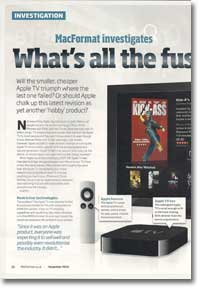
MacFormat investigates the new Apple TV
- Article 87 of 89
- MacFormat, October 2010
Is the smaller, cheaper Apple TV going to triumph where the last one failed?
Page 1 | Page 2 | Page 3 | All 3 Pages
The Mac mini’s biggest problem as a set-top box is it’s designed to be controlled using a keyboard and a mouse. You can overcome most of the difficulties this throws up by running Front Row: it’ll be like going back in time to the Apple TV 1.0 interface, but it’ll work. If you want to access other apps, such as EyeTV, iTunes or Safari for the iPlayer, you’ll need to fall back on the keyboard and mouse.
There are also alternative media centres that can be controlled using a remote or an iPhone and that offer more features than Front Row, including Boxee, XMBC, equinux’s MediaCentral, NitroTV and Plex. Their common difficulty is that they can’t play movies and TV shows purchased from the iTunes Store.
So, at the moment, there’s no single front end produced by either Apple or a third party that will turn your Mac mini into the ultimate keyboardless media centre. Nevertheless, if you don’t mind the trade-off in ease-of-use, the Mac mini can be a far more powerful option than an Apple TV that can potentially replace several other devices that you have under your TV.
Apple TV’s new interface: it’s all about the rentals
The interface for the second generation Apple TV is similar to the previous generation’s 3.0 look but with no local storage, the new Apple TV menu system has become more streamlined. Instead of menus for Movies, TV Shows, Music, Podcasts, Photos and “Internet” (YouTube and Internet Radio), there are now just a few options for accessing media on the main screen: “Movies”, “Internet” and “Computers”. Whereas the menus on the original Apple TV gave you access to the content stored on the Apple TV as well as the content on your main computer, as well as, options for connecting to the iTunes Store to download content, the new “Movies” menu option now only provides access to the iTunes Store and reviews from Rotten Tomatoes.
To access content stored on computers on your home network, you now have to go to “Computers”. Each computer that’s sharing content through Home Sharing in iTunes will be listed in the menu and when you select it, you’ll see separate menus for their movies, TV shows, podcasts, photos, music and iTunes U content. You’ll then be able to play it or set up a slideshow.
Apple TV users in the US will also have a TV Shows item in the main menu as well as access to the Netflix movie rental service.
Page 1 | Page 2 | Page 3 | All 3 Pages